notefeed
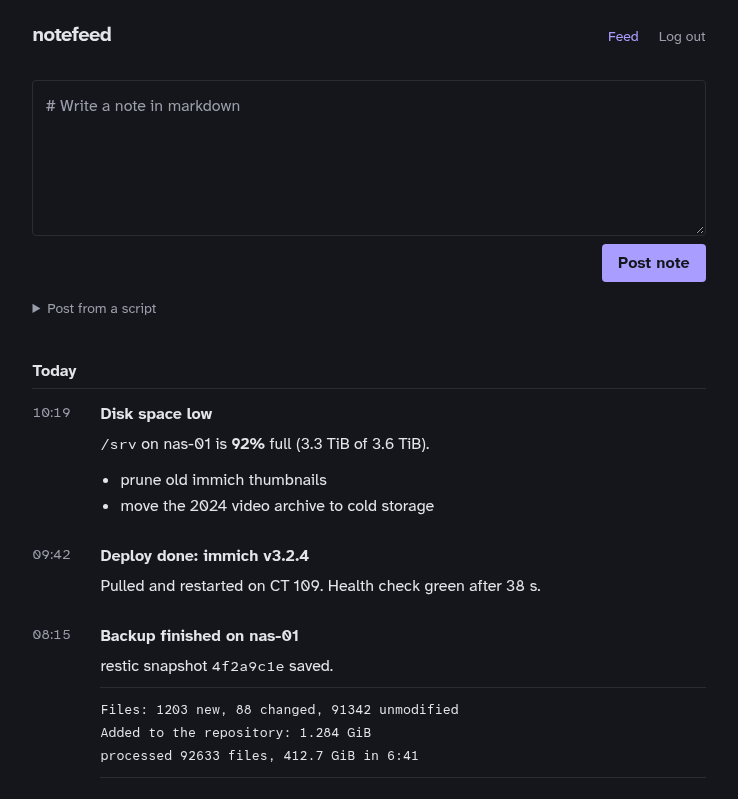
notefeed is a small self-hosted inbox for short markdown notes. You post notes from scripts over HTTP, or by hand in a web UI, and read them back as an RSS feed. Each note is a plain .md file on disk.
It exists because dashboards like Glance and Dynacat can read RSS but have nowhere to post to. A backup job, a deploy script or a cron check can drop a note into notefeed, and it shows up on the dashboard a few minutes later.

Quick start
You need Docker with Compose. No checkout, no build: the image is published at ghcr.io/marceltov/notefeed.
1. Create a folder with this compose.yaml:
services:
  notefeed:
    image: ghcr.io/marceltov/notefeed:latest  # or pin a release, e.g. :0.2
    restart: unless-stopped
    ports:
      - "3000:3000"
    environment:
      NOTEFEED_TOKEN: ${NOTEFEED_TOKEN:?Set NOTEFEED_TOKEN in .env}
      # PUBLIC_URL: https://notes.example.com   # when behind a reverse proxy
      # NOTEFEED_TITLE: notefeed
      # TZ: Europe/Berlin
    volumes:
      - ./data:/data  # your notes, as plain .md files
2. Create the data folder and the token, then start it:
mkdir data   # notefeed writes notes as the owner of this folder, so they're yours
echo "NOTEFEED_TOKEN=$(openssl rand -hex 32)" > .env
docker compose up -d
Your notes are plain files in data, owned by you: read them, grep them, or commit them to git (see Operations).
notefeed now runs on http://localhost:3000. Log in with the token, or post your first note from a shell:
source .env && export NOTEFEED_TOKEN
curl -H "Authorization: Bearer $NOTEFEED_TOKEN" \
  --data-binary $'# Hello\nMy first note.' \
  http://localhost:3000/api/notes
The feed is at http://localhost:3000/feed.xml. Add it to any feed reader.
Where to go next
- Posting notes: the API, accepted formats, errors and script examples.
- Web UI: writing notes by hand.
- The feed: hooking notefeed up to Glance, Dynacat and other readers.
- Configuration: every setting.
- Reverse proxy: putting notefeed on the internet behind Caddy.
- Operations: upgrades, backups and deleting notes.